

Most contractor websites are either an expensive brochure nobody reads or a bare-bones page that gives people no reason to call. Either way, the phone stays quiet. The good news is that a contractor website that actually brings in leads is simpler than most web designers will tell you.
This article tells you what to put on your site, what to skip, and — because it matters — what not to spend money on yet.
What a Contractor Website Actually Has to Do
One job, not ten
Your website has one job: turn a visitor into a phone call or a form submission. That is it. It is not a portfolio, a company history, or a place to explain your philosophy. Every page, every button, every line of text should push toward that one action.
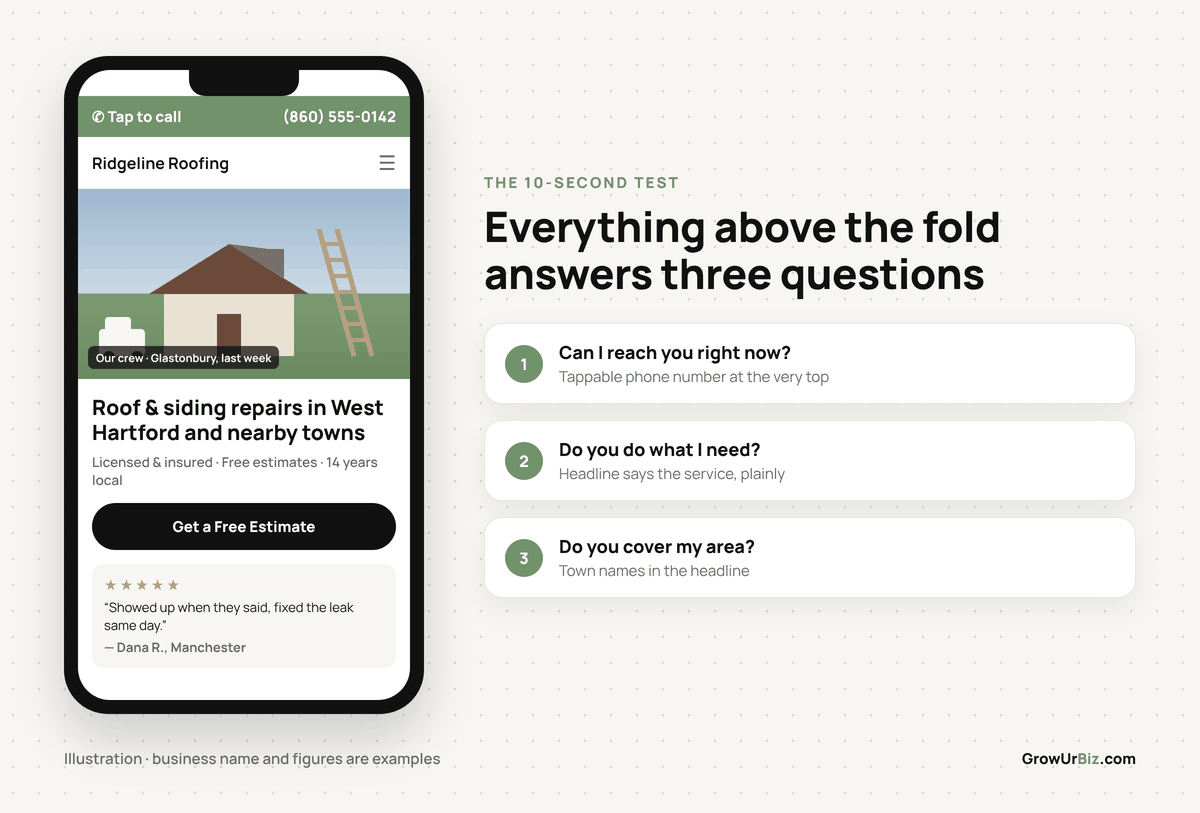
Most visitors to a home services website decide within about ten seconds whether they are going to contact you or hit the back button. They want to know: Do you do what I need? Do you cover my area? Can I reach you right now? Answer those three questions fast and you are ahead of most of your competitors.
Action you can take today: Open your homepage on your phone. Can you see your phone number without scrolling? If not, that is your first fix.
The Pages Your Site Actually Needs
Keep it to five or fewer
You do not need twenty pages. Here is what a working trade business website needs:
- Homepage — who you are, what you do, where you work, one clear call to action
- Services page (or one page per main service if you want to rank for each) — plain descriptions, no filler
- About page — short, human, includes your name and a real photo
- Reviews / testimonials page — pull your best Google reviews here
- Contact page — phone number, a simple form, and your service area
That is a complete contractor website. A plumber in Newington or an HVAC company in Enfield does not need a blog, a resource library, or a news section to get leads from their site. Those things can come later if they make sense for your business. Right now, five pages done well beats twenty pages done badly.
What to Put on Your Homepage (Specifically)
The top of the page is everything
The section of your homepage that loads before anyone scrolls — designers call it “above the fold” — does the heaviest lifting. Put these four things there:
- Your headline: what you do and where. Example: “Roofing and Siding Repairs in West Hartford and Surrounding Towns.”
- A subheading with one trust signal: licensed, insured, free estimates, years in business.
- Your phone number as a tappable link: (860) 730-1636
- A button that says “Get a Free Estimate” or “Request a Quote” — not “Learn More”.
Below that, add a short paragraph about your services, a row of three to five real customer reviews, and a list of the towns you serve. For most contractors in Hartford County, that list should include the specific towns: Glastonbury, Manchester, Bristol, Newington, Enfield, West Hartford, and any others you actually go to.
Photos matter more than words
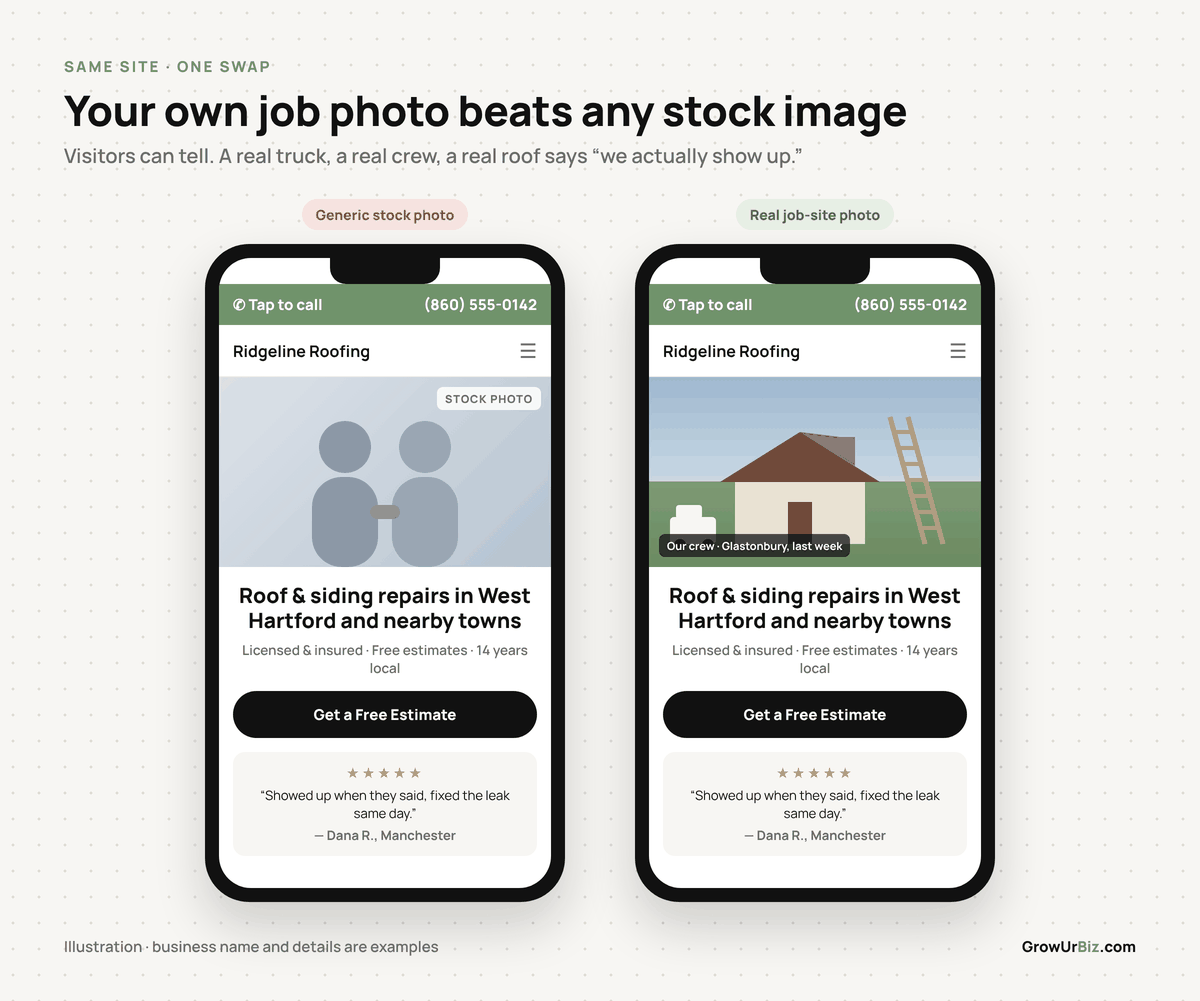
Use your own photos. A real photo of your truck, your crew, or a finished job beats any stock image. If you have nothing yet, a clean photo of yourself in your work gear is enough to start.
The Trust Move: Do Not Pay for a Custom Website Yet
Here is the specific spend to avoid right now: a custom-designed contractor website from a web agency.
A custom site from a local or national agency typically runs between $2,500 and $8,000 for a small contractor, sometimes more. Before you pay that, you need to know whether your market, your offer, and your Google Business Profile are already working. If your Google Business Profile is incomplete, if you have fewer than ten reviews, or if you are not sure what search terms your customers actually use, a custom website will not fix any of that. You will have a beautiful site and the same quiet phone.
What to do first instead: build a simple site yourself using a template platform. Squarespace, Wix, and Google Sites all have free or low-cost plans and contractor-friendly templates. A site you build in a weekend on a $16-per-month Squarespace plan will convert just as well as a $5,000 custom site if it has the right information on it. Once you have proof that your market and your offer are working — meaning you are getting calls and closing jobs — then invest in a custom site if you want one.
The money you save goes toward Google ads or review generation, both of which will move the needle faster than a redesign at this stage.
Free Local Marketing Checkup
We will look at your website, your Google Business Profile, and your local search visibility and tell you exactly what is working and what is not — in about 30 minutes. Book it here. Honest feedback, zero pressure.
What to Skip Entirely (At Least for Now)
Features that slow you down and cost money
Web designers often upsell features that sound useful but do not move the needle for a local contractor. Here is a plain comparison:
| Feature | Worth it? | Why |
|---|---|---|
| Online booking / scheduling tool | Maybe, later | Adds complexity. Most homeowners still want to talk before booking a contractor. Start with a form. |
| Live chat widget | Skip for now | You will not be watching it. An unanswered chat is worse than no chat. |
| Blog / content section | Only if you will actually write | An empty blog from 2021 hurts trust. Leave it out until you have a real plan. |
| Video background on homepage | No | Slows page load, especially on mobile. Slower pages lose visitors. |
| Animated elements and sliders | No | Same issue. They also distract from your call to action. |
| Separate service pages per town | Yes, if you want local SEO | A page for “plumber in Glastonbury” and “plumber in Manchester” can each rank on their own. Worth doing when your site is stable. |
Mobile First, Because That Is Where Your Customers Are
Check your site on the device your customers use
The majority of people searching for a contractor in a hurry — a burst pipe, a roof leak, a broken furnace — are doing it on their phone. Your site needs to load fast and be easy to navigate on a small screen.

Three things to check on mobile right now:
- Does your phone number tap to call automatically? If a visitor has to copy and paste your number, most will not bother.
- Does your contact form work without pinching and zooming?
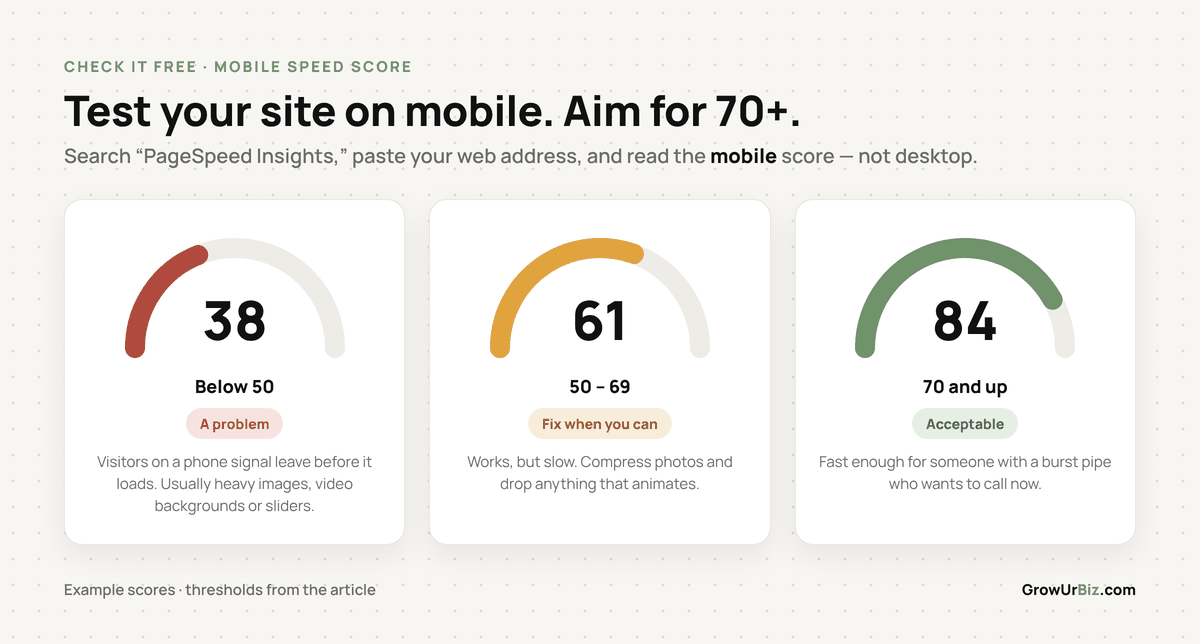
- Does the page load in under three seconds on a phone connection? You can check this for free at Google PageSpeed Insights — search for it, paste your URL, and look at the mobile score. Anything above 70 is acceptable. Below 50 is a problem.
Getting Found: The Minimum SEO Your Site Needs
You do not need to become an SEO expert
Search engine optimisation for a local contractor website comes down to a short list of basics. Do these and you are ahead of most of your local competition:
- Put your city or service area in your page titles. “Roofing Contractor — West Hartford, CT” is better than just “Home”.
- Write a one-sentence description of each page (called a meta description) that includes your main service and your town.
- Name your photos with real descriptions before you upload them. “vinyl-siding-installation-bristol-ct.jpg” is better than “IMG_4832.jpg”.
- Make sure your business name, address, and phone number are identical on your website and your Google Business Profile.
That is the foundation. Everything else — backlinks, structured data, content clusters — comes after this is solid.
Frequently Asked Questions
How much should a contractor website cost?
A functional site that converts visitors into leads can cost as little as $0 if you build it yourself on a free plan, or $16 to $25 per month on a paid template platform like Squarespace or Wix. A professionally built site from a freelancer typically runs $800 to $2,500. Agency-built custom sites start around $2,500 and go up from there. Start simple. Upgrade when you have revenue to justify it.
Do I need a website if I already have a Google Business Profile?
Your Google Business Profile is essential and should come first. But a website gives you a place to show more detail — your full list of services, photos, reviews, and a contact form — and it supports your search rankings over time. Think of your Google Business Profile as the front door and your website as the inside of the shop.
How many pages does a contractor website need to rank on Google?
There is no minimum page count for ranking. A single well-written page that clearly describes your service and your location can rank. That said, separate pages for each main service and each main town you serve give you more chances to show up in local searches. Build the core site first, then add pages as you go.
Should I hire a local web designer or use a national agency?
A local freelancer or small agency will usually cost less than a national agency and will be easier to reach when something needs fixing. Before hiring anyone, ask to see examples of sites they have built for other contractors, ask who owns the site files and domain when the project is done, and get the full price in writing before work starts.
What is the single most important thing on a contractor website?
Your phone number, visible at the top of every page, as a tappable link on mobile. Everything else is secondary. If someone has to hunt for a way to contact you, they will call your competitor instead.
Do contractor websites need to be updated regularly?
You do not need to post new content every week. But you should check a few things every few months: make sure your phone number and service area are current, add new photos when you finish a good job, and update your reviews page when you collect strong new ones. A site that looks abandoned — old copyright dates, broken links, photos from years ago — can cost you trust with a potential customer who is comparing you to a competitor.
Your Next Step
If your site is missing a tappable phone number, a clear service area, or a simple contact form, fix those three things before anything else. They cost nothing and they are the difference between a visitor calling you and a visitor calling someone else.
Once the basics are in place, the next question is whether your site is actually showing up when people in your area search for what you do. That is a separate conversation — one worth having before you spend another dollar on the site itself.
Our guide to SEO for plumbers walks through the three moves that get a trade business showing up in local search. The same moves apply whether you fix roofs, furnaces or pipes.
If you want a second set of eyes on where your site and your local marketing actually stand, the Free Local Marketing Checkup is the place to start. No pitch, no package — just a straight answer on what is working and what is not. Book it here.