


You set up your Google Business Profile and now it’s just sitting there. You’ve heard you’re supposed to post on it, but nobody’s told you exactly how, what to write, or whether it even matters.
Here’s the short answer: posting takes about five minutes once you know where to go, and once a week is the right cadence for most small businesses. Here’s everything else you need.
How to Actually Create a Google Business Profile Post
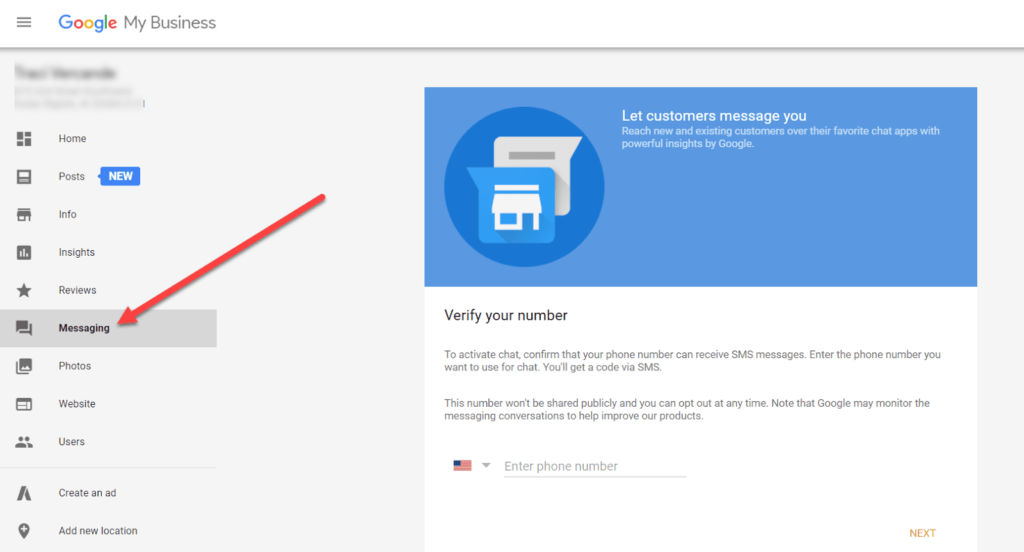
Go to business.google.com and sign in with the Google account connected to your profile. Once you’re in your dashboard, look for a button or option labelled “Add update” — Google has used variations of this label, so look for whatever option lets you write a short public message. You’ll see a text box, an option to add a photo, and a choice of post type.
Fill in these three things:
- A photo. Posts with images get more clicks. A real photo from your phone beats a stock image every time — a finished job in Glastonbury, your front counter in West Hartford, your team in Enfield.
- Your text. Keep it under 150 words. State what you’re offering or what you want people to know. End with one clear action: call, book, stop in.
- A button (optional). If you have a booking link or a specific page to send people to, add it. If not, skip it — a post without a button still works.
Hit publish. The post goes live on your Business Profile within a few minutes. It shows up in Google Search and Google Maps when someone finds your listing.
For a deeper look at how posts fit into your overall local visibility, read our guide on .
Real Numbers: What Posting Actually Looks Like
This is where most articles get vague. Here are actual figures to plan around:
- Post lifespan: Google posts stay visible for 6 months before they expire. Event posts expire on the event end date.
- Time to write one: 5 to 10 minutes once you have a photo ready.
- Character limit: 1,500 characters, but Google shows roughly the first 100 characters before a “read more” cut-off in some views. Put your most important words first.
- Minimum viable cadence: 1 post per week keeps your profile looking active to both Google and the people who find you.
- Maximum useful cadence: Most local service businesses see no meaningful difference posting more than 3 times per week. Don’t manufacture content just to fill a calendar.
- Photo size: At least 720 × 540 pixels. Your phone’s camera is fine.
If you’re running a seasonal business — a landscaper in Bristol, an HVAC company in Manchester — post more frequently during your busy season and less during slow months. One post every two weeks in the off-season is better than going completely silent.
GBP management plan
We handle your Google Business Profile posts, photos, and review responses every month so you don’t have to think about it. Takes about 15 minutes of your time to get us set up. Book it here. Honest feedback, zero pressure.
What to Write When You Have No Idea What to Write
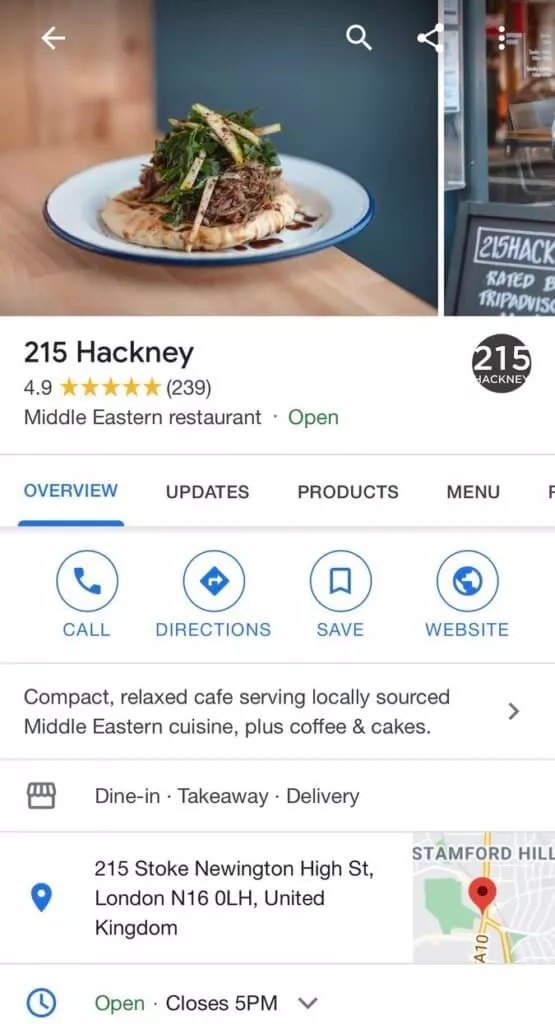
Rotate through these four post types and you’ll never stare at a blank screen:
- A recent job. “We just finished a bathroom tile job in Newington — here’s how it turned out. If you’ve been putting off a similar project, now’s a good time to get on the schedule.” Add a before-or-after photo.
- A simple tip. One useful thing your customers never know. A plumber in West Hartford might post: “If your water heater is more than 12 years old, get it inspected before winter — not after it fails.”
- An offer or reminder. A seasonal discount, a service you want to promote, or a reminder that you’re booking out X weeks.
- A direct ask for reviews. “If we’ve worked together recently and you were happy, a Google review helps us a lot. Here’s the link.” Post this once a month, not every week.
You can reach us at (860) 730-1636 if you want help putting together a simple posting plan for your specific business type.
Frequently Asked Questions
Does posting on Google My Business actually help your ranking?
It’s a minor ranking factor on its own. The bigger benefit is that an active, regularly updated profile looks more credible to someone who finds you — and a credible profile gets more clicks and calls. Don’t post expecting a dramatic ranking jump. Post because it takes five minutes and gives people a reason to choose you over the competitor whose profile hasn’t been touched in a year.
What happens if you stop posting for a few weeks?
Nothing catastrophic. Your profile stays up and your reviews stay visible. If you go silent for several months, your profile can start to look abandoned, which can hurt click-through when someone’s comparing you to an active competitor. Missing a week here and there is fine. Missing three months is not.
Can you schedule Google Business Profile posts in advance?
Google’s own dashboard does not have a native scheduler as of this writing. You can schedule posts through third-party tools — many social media scheduling platforms support GBP. If you’re already using one of those tools for Facebook or Instagram, check whether GBP is included in your plan before paying for anything extra. If you’re not using a scheduler at all, batch-writing four posts on the first Monday of each month and publishing them one at a time throughout the month is free and works fine.
The One Next Step
Log in to business.google.com right now and publish one post before you close this tab. A photo from your phone and two sentences is enough. Once you’ve done it once, the next one takes half the time.
If you’d rather hand this off entirely, our guide explains what a fully optimised profile looks like — and our GBP management plan covers the posting, photos, and review responses every month so it’s one less thing on your list.