


Most business owners know they need more Google reviews. They just hate asking for them. It feels like begging, and when a customer says “sure, I’ll leave one” and never does, the whole thing feels worse than not asking at all.
This article fixes that. You will get four complete, word-for-word scripts — in person, by text, by email, and for the one awkward situation nobody talks about. Copy them. Use them today. No forms, no downloads, no strings.
Why Most Review Requests Fail Before You Even Open Your Mouth
The timing problem
Asking for a review at the wrong moment is the main reason people say yes and then do nothing. The best moment is right after the customer has expressed satisfaction — not at checkout, not in a follow-up email three weeks later. Right after the “thank you, this looks great” or “that fixed everything” moment. That window is short. If you miss it, your chances drop fast.
The friction problem
If the customer has to search for your business on Google themselves, most of them will not bother. You need to hand them a direct link. Google gives you one for free inside your Business Profile dashboard — look for the option that says something like “share review form” or “get more reviews.” The link it generates takes the customer straight to the review box with no searching required. Copy that link and keep it somewhere you can paste it quickly.
If the profile itself needs work before you start asking, our Google Business Profile optimization checklist is the ten-minute version.
The Four Scripts — Take Them, They Are Yours
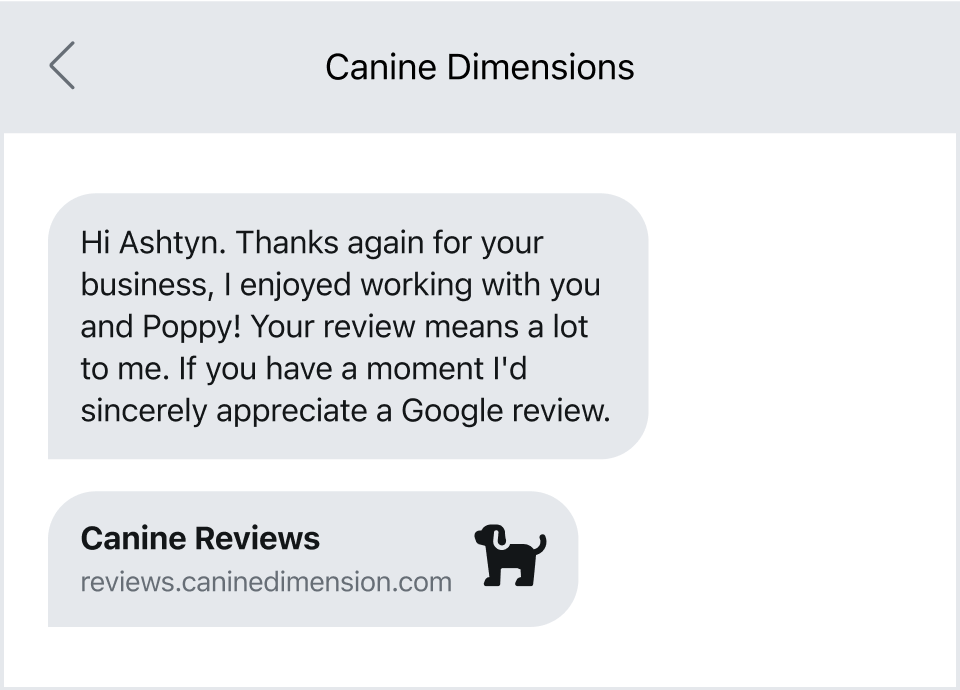
Script 1: In person (30 seconds, works at job completion or checkout)
Say this out loud, in your own voice, right after the customer says something positive:
“Really glad it worked out. Would you do me a favour? If you search [Your Business Name] on Google and leave us a quick review, it helps a lot — takes about two minutes. I can text you the direct link right now if that’s easier.”
That last sentence is the key. Offering the link on the spot removes the biggest excuse. Have your review link saved in your phone contacts or notes so you can send it in ten seconds.
Script 2: Text message (send within two hours of job completion)
Hi [First Name], it was great working with you today. If you have two minutes, a Google review would mean a lot to us — here’s the direct link: [YOUR REVIEW LINK]. Thanks so much. — [Your Name], [Business Name]
Keep it under 160 characters if you can so it arrives as a single message. The link will push it over — that is fine. Do not add a second text asking if they saw the first one. Send it once and leave it.
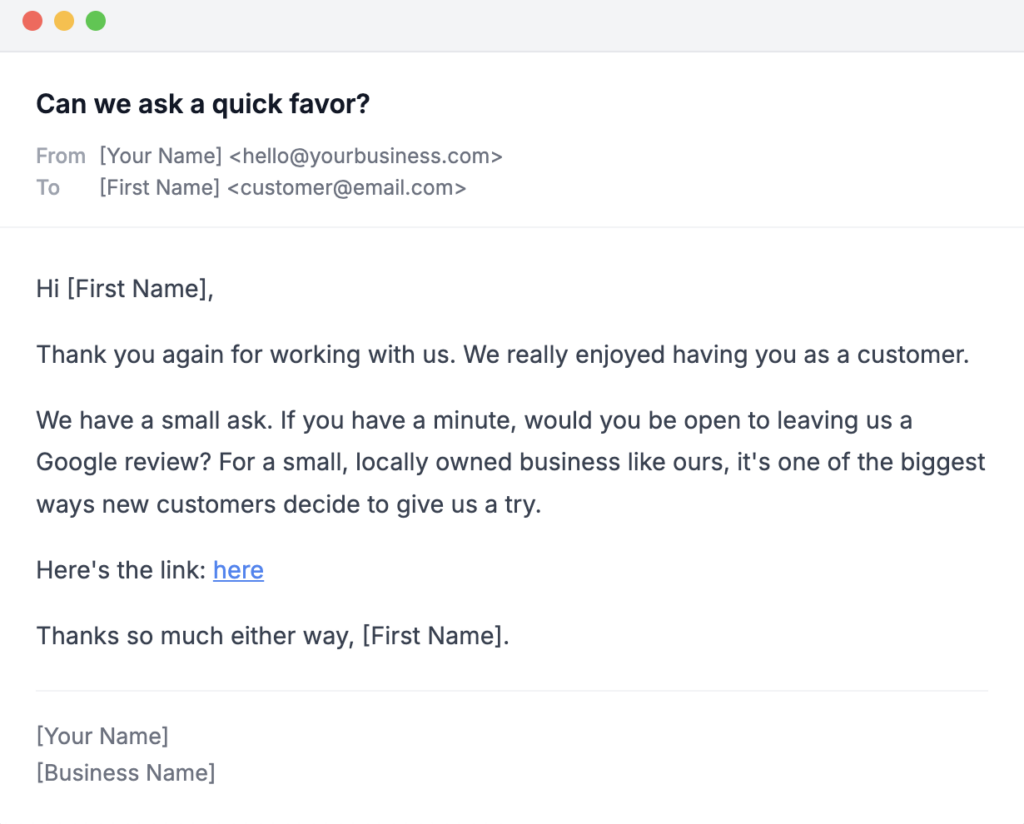
Script 3: Email (for businesses that follow up by email)
Subject: Quick favour — two minutes of your time
Hi [First Name],
Thanks again for choosing [Business Name]. I hope everything is going well with [the work / your purchase / your appointment].
If you’re happy with how things went, I’d really appreciate a Google review. It helps other people in [town] find us, and it genuinely makes a difference for a small business like ours.
Here’s the direct link — it takes about two minutes: [YOUR REVIEW LINK]
Thanks for your time.
[Your Name]
[Business Name]
(860) 730-1636
Send this within 24 hours of the job or visit. After 48 hours, open rates fall and so does follow-through.
Script 4: The awkward one — when someone compliments you on Facebook or in person but is not a recent customer
This comes up more than people admit. Someone says “I always recommend you to everyone” at a neighbourhood event in Glastonbury or a Facebook group in Manchester. Here is what to say:
“That means a lot, thank you. If you ever wanted to put that in a Google review, I’d be grateful — it helps people who don’t know us yet find us. No pressure at all. I can text you the link if you like.”
The phrase “no pressure at all” is not filler. It gives the person an easy out, which paradoxically makes them more likely to follow through.
How to Get Your Google Review Link
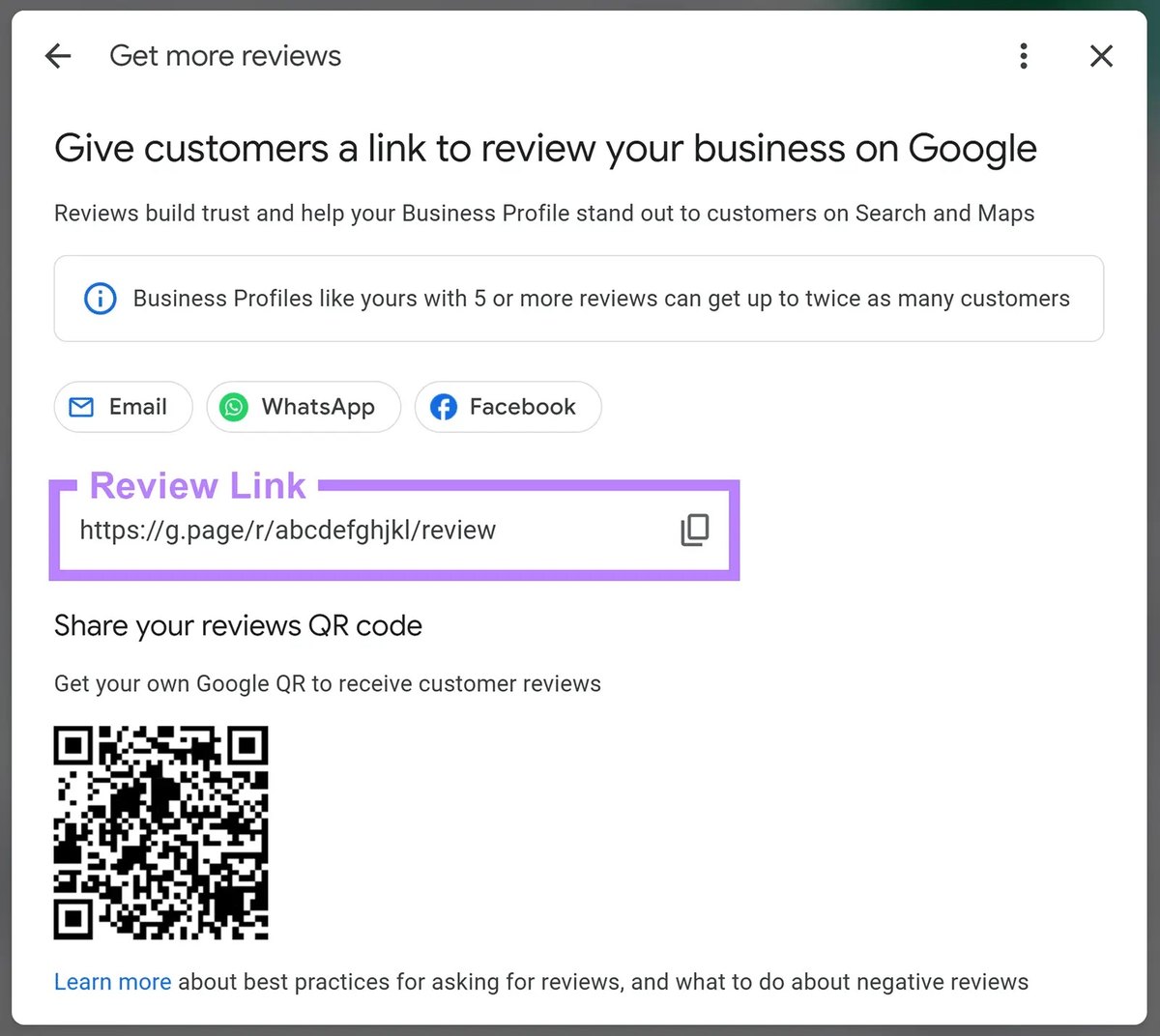
You need one direct link that drops the customer straight into the review box. Here is how to find it without guessing at menus.
Search Google for your business name. On the result that shows your business panel on the right side, look for a button or option that says something like “Ask for reviews” or “Get more reviews.” Google will show you a short link you can copy. That is the link to paste into every script above.
If you cannot find it that way, search for “Google review link generator” — several free tools will produce it from your business name and location. You do not need to pay for this.
In Person vs. Text vs. Email: Which One Should You Use?
A straight comparison
| Method | Best for | Real advantage | Real cost |
|---|---|---|---|
| In person | Contractors, salons, retail — any face-to-face business | Highest conversion; customer says yes while they are still feeling good | Requires you or your staff to actually say the words every time |
| Text | Home services, trades, mobile businesses | Direct link lands in their hand immediately; easy to act on | Feels slightly impersonal if the job was small or the relationship is new |
| Professional services, health and wellness, higher-ticket purchases | Works well when the customer is used to email communication from you | Lower open rates than text; easy to ignore |
There is no single winner here. A plumber finishing a job in Enfield should text. A West Hartford therapist or accountant should email. A Bristol retailer at the register should ask in person. Match the method to how you already talk to that customer.
One Thing You Should Not Pay For Yet
Skip the review management software for now
You will see ads for platforms that automate review requests — they send texts and emails on your behalf, track responses, and give you a dashboard. Some of them cost between $100 and $300 a month. Do not buy one yet.
Here is why. Those tools work well once you have a repeatable process and a team that follows it. If you are still figuring out when to ask, what to say, and how to send the link, adding software adds a layer of complexity that buries the real problem. You will spend time on the platform instead of on the habit.
Start with the four scripts above and your free Google review link. Do it manually for 60 days. If you are sending 20 or more requests a week and struggling to keep up, then look at automation. Not before.
How Many Reviews Do You Actually Need?
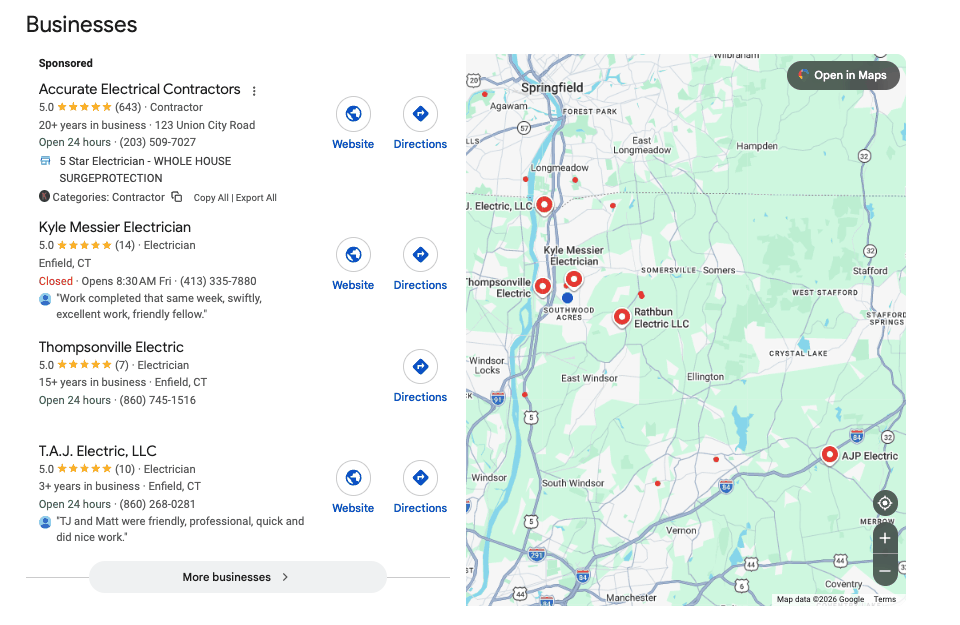
A realistic target for Hartford County businesses
There is no magic number Google has published. But look at your top three local competitors right now — search your service plus your town and see how many reviews the top results have. That is your real benchmark, not a national average.
For most local service businesses in towns like Newington, Glastonbury, or West Hartford, the top-ranked competitors tend to have somewhere between 40 and 150 reviews. If you have fewer than 20, that gap is hurting you. If you are at 20 to 40 and your competitors are at 50-plus, closing that gap is worth more than almost any other marketing action you can take right now.
Aim to ask every satisfied customer, every time. Even a 20 percent conversion rate on requests adds up fast.
Free Local Marketing Checkup
We will look at your Google Business Profile, your current review count, and what your competitors look like in your town — then tell you exactly where to focus first. Takes about 20 minutes. Book it here. Honest feedback, zero pressure.
What to Do When You Get a Negative Review
Respond quickly and keep it short
A one-star review with no response looks worse than a one-star review with a calm, professional reply. Respond within 24 hours. Do not argue, do not over-explain, and do not paste a template that starts with “We are so sorry to hear about your experience.” That phrase reads as automated and insincere.
Instead, try this structure:
“Hi [Name], thank you for letting us know. This isn’t the experience we want anyone to have. Please call us at [phone number] and we’ll make it right.”
That is it. Short, human, and it shows future readers that you take feedback seriously. It also moves the conversation off a public platform.
Do not try to get the review removed unless it is clearly fake
Google will remove a review if it violates their policies — spam, fake accounts, a review left by someone who was never your customer. For a genuine complaint, even an unfair one, removal is unlikely. Respond well and move on. A business with 80 reviews and one bad one looks more trustworthy than a business with 12 reviews and none below five stars.
Making It a Habit, Not a Campaign
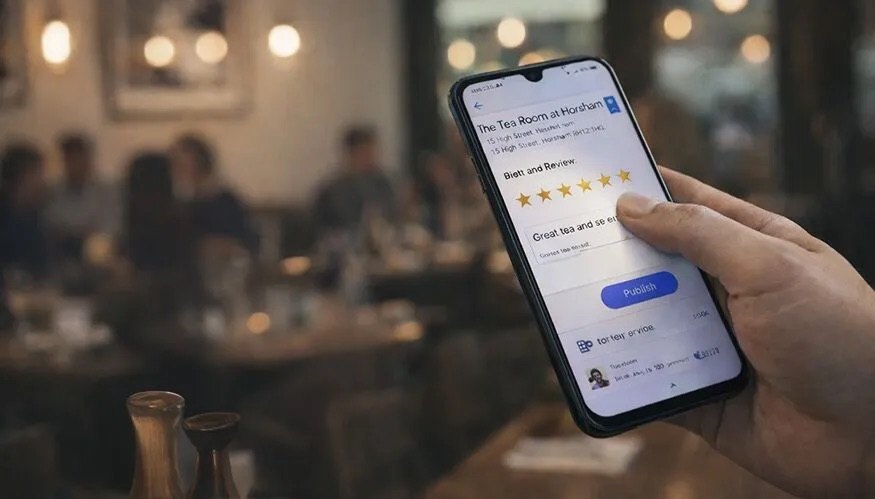
The simplest system that actually works
Do not treat review collection as a campaign you run once. Treat it as a step in your close-out process, the same way you send an invoice or schedule a follow-up call.
Pick one trigger — job complete, payment received, appointment ends — and attach the ask to that trigger. Write it on a sticky note on your register or your van dashboard if that is what it takes. The businesses that consistently outrank their competitors on Google reviews are not doing anything complicated. They are just asking every time.
Frequently Asked Questions
Can I ask a customer to leave a five-star review specifically?
No. Google’s guidelines prohibit asking for a specific rating. Ask for an honest review. If the work was good, the rating will follow. Soliciting a specific number of stars can also get your reviews flagged or removed.
Can I offer a discount or gift card in exchange for a review?
No. Incentivising reviews violates Google’s policies and can result in your reviews being removed or your Business Profile being penalised. Ask for reviews because you earned them, not because you paid for them.
How long does it take for a new review to show up on my profile?
Usually within a few hours, sometimes up to a day. Occasionally Google holds a review for manual checking, which can take longer. If a review disappears after appearing briefly, it may have been filtered by Google’s spam detection — this sometimes catches legitimate reviews, especially from accounts that do not review often.
What if my customers are older and not comfortable with Google?
Walk them through it in person. Pull up your review link on their phone, show them where to tap, and let them type while you are still there. It takes three minutes and the conversion rate is much higher than any text or email. Many contractors in towns like Bristol and Enfield do exactly this.
Should I respond to positive reviews too?
Yes, briefly. A short, genuine reply — “Thanks so much, it was a pleasure working with you” — shows future customers that there is a real person behind the business. Do not write the same reply every time. Vary it.
How do I find my Google review link to send to customers?
Log into your Google Business Profile and look for a sharing or promotion option. Google provides a short link you can copy and send. If you are not sure where to find it, search “Google Business Profile share review link” and follow the current instructions from Google’s own support pages — the interface updates periodically and the exact label can change.
Your Next Step
Pick one of the four scripts above — the one that fits how you already talk to customers — and use it on your next job or transaction. Not next week. Today. That is the whole move.
Once you have asked ten customers and seen what works, you will have more questions about your profile, your rankings, and what else is holding you back locally. When you get there, the Free Local Marketing Checkup is the right place to start. If you would rather have the profile managed for you than audited once, that is our Local Visibility Booster.